
- Ben Merva
Retail analytics software can mean very different things depending on who is buying it. Retailers may use it to understand store performance and customer behavior. Consumer brands, on the other hand, usually need visibility into what is happening across the retailers that sell their products.
For those brands, retail analytics software brings together retailer data such as POS sales and inventory levels, then turns it into insights for forecasting and replenishment. Some platforms focus mainly on market measurement, while others provide deeper operational data for brands managing retail distribution.
This guide compares the best retail analytics software for consumer brands in 2026, including Alloy.ai and other leading platforms. We look at what each platform does, who it is built for, and where its limitations become apparent.
What is retail analytics software?
Retail analytics software collects, normalizes, and analyzes retail data—from POS systems, inventory records, e-commerce platforms, and supply chain feeds—to help teams run data analytics, track performance, and make data-driven decisions.
For consumer brands, the core question is how their products perform inside retailers’ stores. That requires customer data from multiple retailer systems to be normalized into consistent retail data models, with CPG-specific logic for metrics such as weeks-of-supply and out-of-stock rate. General analytics tools like Tableau or Google Analytics weren’t built for it.
The best retail analytics software tools for CPG brands in 2026
1. Alloy.ai — best purpose-built retail analytics platform for mid-market and enterprise CPG brands
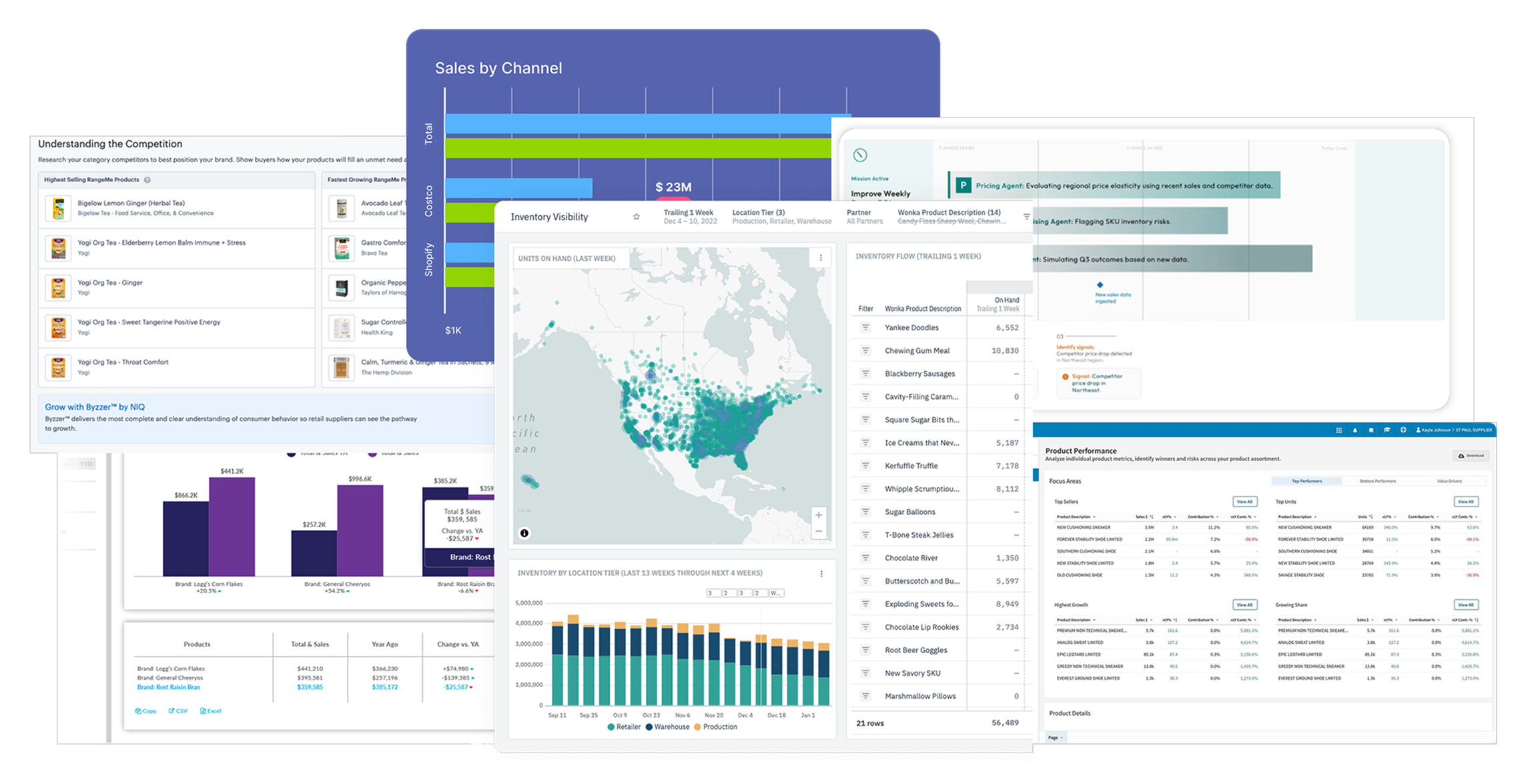
Alloy.ai is a retail analytics platform built specifically for consumer goods brands. It unifies customer data, POS sell-through, inventory, e-commerce, and supply chain data through 450+ pre-built connectors—giving brands daily visibility into consumer demand, customer behavior, and inventory health. The difference from general analytics software isn’t the dashboard; it’s the CPG-specific data analytics logic underneath.
Key features:
450+ pre-built connections to retailer portals (Target, Kroger 84.51, Amazon ARA, and hundreds more), EDI feeds, e-commerce platforms, ERPs, and 3PLs—with automatic data normalization and data quality controls that enable data-driven decisions. No custom ETL, no manual cleaning.
Daily SKU/store-level refresh with AI-powered anomaly detection. Alloy.ai’s AI Agents surface revenue opportunities and flag inventory management risks before they become buyer conversations.
Machine learning-powered demand forecasting at SKU and store level, exportable to SAP IBP, Blue Yonder, and o9—with out-of-stock prevention and AI-generated replenishment emails.
Cross-retailer scorecards, sell-through vs. plan, promotion performance, portfolio management, and supply chain visibility in one CPG analytics platform.

One early Alloy.ai customer had been mixing gross and net sales from different retailers for months—negatives zeroed out in their dashboards. CPG-specific data quality logic caught what general analytics tools like Google Analytics or Tableau never would.
Best for: Mid-market and enterprise CPG brands needing ML-powered demand forecasting, predictive analytics, inventory management, and supply chain integration—brands that build competitive advantage and improve customer satisfaction through retail customer analytics. Trusted by Crayola, BIC, Valvoline, Bosch, SimpliSafe, Anker, and Melissa & Doug. Customers see 35%+ fewer out-of-stocks, 5%+ bottom-line improvement, and up to 35% better forecast accuracy.
Limitations: Custom pricing with a minimum annual contract. Not designed for brands that only need basic dashboards for a handful of retailers.
2. Crisp — best for emerging and natural/specialty CPG brands needing automated data ingestion
Crisp connects CPG brands to 40+ retailer portals, normalizes sell-through and inventory data, and delivers it into pre-built dashboards and cloud data warehouses (Snowflake, BigQuery). Fast, low-friction entry point for retail analytics software.
Best for: Emerging and natural/specialty CPG brands needing clean, automated access to retail data and sales data.
Limitations: 40+ retailer connections versus platforms with 450+. No predictive analytics, demand forecasting, or supply chain integration.

3. Datawiz — best for multi-location retail chains needing comprehensive retail analytics
Datawiz BES is a cloud-based retail analytics and business-effectiveness platform built specifically for multi-store and multi-region retail chains. Because retail logic (SKU-to-category mapping, promotion windows, supplier hierarchies) is already built into the platform rather than something a team has to model from scratch, category managers and store teams can move from raw POS data to actionable insights faster than with general BI tools, which require custom data modeling before producing anything retail-specific.
Its BI capabilities cover sales, inventory, promotion, assortment, and supplier analytics at the SKU, store, and chain level, while connected modules extend into planogramming and merchandising (PlanoHero), AI-powered conversational analytics (Wizora), and store-level operational management (Store Manager App).
Best for: Multi-store and multi-region retail chains that want sales, inventory, supplier, and merchandising data unified in one retail-specific analytics ecosystem — with faster time-to-insight than general-purpose BI platforms — rather than several separate tools.
Limitations: Datawiz is primarily designed for retailer-side analytics and store operations, not the CPG-brand sell-in/sell-out use case that platforms like Alloy.ai specialize in. A 14-day free trial is available, with no credit card required.

4. Retail Velocity (VELOCITY®) — best for brands prioritizing POS data accuracy and daily freshness
Retail Velocity automates daily POS and inventory data collection from any vendor portal, regardless of format—valued by retail operations teams for its data quality, reliability, and ease of use for non-technical users.
Best for: CPG brands and retail suppliers needing reliable, high-quality retail analytics data and clean dashboards.
Limitations: Limited predictive analytics capabilities—no ML-powered predictive analytics. Less supply chain depth than purpose-built retail analytics platforms.
5. NIQ / Byzzer — best for category management and market share benchmarking
NIQ (formerly NielsenIQ) provides syndicated retail data covering category share, consumer behavior trends, customer segmentation, and competitor pricing. Byzzer is NIQ’s more accessible subscription option. These analytics tools are strong for analyzing market trends, tracking customer behavior, and building marketing campaigns and targeted marketing strategies from syndicated consumer behavior data. They don’t answer whether a specific retailer updated store-level sales data today.
Best for: Category teams analyzing consumer behavior and market trends, building targeted marketing campaigns, and preparing JBPs with customer segmentation data.
Limitations: Retrospective syndicated retail data—typically weekly. No live POS connections, retail customer analytics, or supply chain integration.

6. Stackline—best for brands with significant Amazon and e-commerce revenue
Stackline is a retail intelligence platform focused on e-commerce analytics—share of search, customer engagement, digital shelf performance, and targeted marketing campaigns ROI. Unlike location analytics or video analytics for brick-and-mortar, it’s purpose-built for Amazon and e-commerce.
Best for: CPG brands for which Amazon and e-commerce are a large share of revenue and that need digital analytics covering customer lifetime value, customer engagement, and targeted marketing campaigns.
Limitations: Limited brick-and-mortar POS data. No location analytics or supply chain integration.

7. Tableau — best for brands with large data teams needing custom analytics software
Tableau is a general-purpose analytics software. Like Google Analytics for digital customer behavior, they’re flexible—but CPG-specific retail analytics requires custom retail data models, data science expertise, and a data analyst team. Most CPG brands arrive here first because these existing tools are already in their stack.
Best for: Brands with a data analyst team and data science capability that own clean, normalized retail data.
Limitations: No pre-built retailer connectors, CPG-specific KPIs, or retail data models. Significant custom work required.

8. Zenlytic — best for brands that want to query their retail data in plain language
Zenlytic is AI-powered analytics software whose AI analyst lets business users ask questions about retail data in plain English and get cited answers—no SQL required. It works on data already centralized in a warehouse, serving as a data analytics layer rather than a data ingestion platform.
Best for: CPG analytics teams with centralized retail data who want business users to access customer insights, customer lifetime value metrics, loyalty program data, and customer lifetime value trends without depending on a data analyst.
Limitations: Brands without normalized retailer connections need a separate ingestion layer first.

9. SPS Commerce — best for brands prioritizing EDI compliance and supply chain automation
SPS Commerce specializes in EDI compliance, supply chain visibility, and retail fulfillment automation—tracking operational metrics around order compliance.
Best for: CPG brands for whom EDI compliance and supply chain automation are the primary bottleneck.
Limitations: No POS sell-through analytics, predictive analytics, or inventory management systems.

Comparison table: analytics software for CPG brands
Every retail customer analytics platform above appears in the table below—quick reference before going deeper on any individual retail analytics tool.
| Tool | Primary use case | Retailer connections | Demand forecasting | Supply chain integration | Best for |
|---|---|---|---|---|---|
| Alloy.ai | POS analytics + forecasting + supply chain | 450+ | Yes (ML-powered, SKU/store) | Yes (DC, WH, ERP, 3PL) | Mid-market to enterprise CPG brands |
| Crisp | POS data ingestion + dashboards | 40+ | No | Partial (EDI add-on) | Emerging and natural/specialty brands |
| Datawiz | Full retail-operations analytics (sales, inventory, supplier, merchandising) | Single-retailer/chain deployment | No | No | Multi-store & multi-region retail chains |
| Retail Velocity | POS data collection + analytics | 625+ | No | Partial | Brands prioritizing data quality/freshness |
| NIQ / Byzzer | Market share + category benchmarking | Syndicated only | No | No | Category management + JBP preparation |
| Stackline | Amazon + e-commerce analytics | Amazon + e-commerce | Partial (e-commerce) | No | Amazon-heavy CPG brands |
| Tableau | Custom data visualization | Any (custom pipelines) | Custom build required | Custom build required | Brands with data engineering teams |
| Zenlytic | AI-powered conversational analytics | Any (data warehouse) | Custom build required | Custom build required | Teams with centralized data + NL querying |
| SPS Commerce | EDI compliance + supply chain ops | 100+ (EDI) | No | Yes (EDI + fulfillment) | EDI compliance and supplier onboarding |
How to choose the right retail analytics software for your CPG brand
Most evaluation guides hand you a feature checklist. These four questions cut through faster.
Brick and mortar vs e-commerce coverage
If your retail business is primarily brick-and-mortar, you need a platform for POS sell-through, store performance, and location analytics. If you also have e-commerce revenue—increasingly common across the retail industry—check whether the analytics software covers both channels.
Customer insights, customer satisfaction, and marketing strategies
The best retail analytics software connects sales data to customer behavior patterns: foot traffic, customer engagement, customer trends, customer interactions, customer feedback, and customer experience. Customer satisfaction, customer lifetime value, and customer segmentation data feed targeted marketing strategies and targeted marketing campaigns. Brands that build loyalty programs around customer lifetime value data—and use them to influence customer behavior over time—treat retail analytics as a core growth investment.
Customer satisfaction, customer lifetime value, and customer segmentation data feed targeted marketing strategies and campaigns, including audience-specific ad creative built around different customer segments.
To put those insights into practice, brands can use an AI UGC workflow to create video ad variations with different hooks and product messages for each customer segment.
Supply chain integration
If inventory management, out-of-stocks, and weeks-of-supply are daily concerns, connect POS sell-through to inventory management systems and ERP. Better inventory management starts with real-time sell-through and machine learning-powered forecasting feeding your retail operations stack. Missing supply chain integration is the most common reason CPG brands outgrow their first retail analytics tool.
Analytics tools: build vs buy
General analytics software like Tableau requires a data analyst team, data science expertise, and significant data analytics work to handle retailer data normalization and CPG-specific KPIs. Purpose-built platforms like Alloy deliver those capabilities out of the box—faster time-to-value, fewer data quality surprises, and a more data-driven approach to retail decision-making. The complete retail analytics buyer’s guide covers the full build-vs-buy decision.
Conclusion
Most retail analytics software articles focus on tools built for retailers—not CPG brands asking why their product is out of stock across three regions on the same day. The right retail analytics software means SKU-level sell-through across brick and mortar and e-commerce, supply chain integration, predictive analytics, and data-driven decisions based on real customer data and market trends that improve customer experience and build competitive advantage for your retail business.
Alloy.ai is built for exactly that. Book a demo.
FAQ
What is retail analytics software?
Retail analytics software collects, normalizes, and analyzes customer data and retail data—from POS systems, inventory records, e-commerce platforms, and supply chain feeds—to help teams run data analytics, track sales performance, and make data-driven decisions. The category spans general analytics software (Tableau, Power BI, Google Analytics), purpose-built CPG platforms (Alloy.ai, Crisp), retailer-facing systems (Oracle Retail, SAP, Datawiz), and specialized e-commerce and retail tools.
What is the best retail analytics software for CPG brands?
For retail predictive analytics, supply chain integration, and customer behavior visibility, Alloy.ai is the most purpose-built retail customer analytics software available. For emerging brands, Crisp is a strong starting point. For category benchmarking and targeted marketing campaigns, NIQ or Byzzer is the right fit.
How is retail analytics software different from general analytics tools?
General analytics tools—Google Analytics, Tableau, existing tools like Power BI—require data science expertise to normalize retail customer analytics data. Three failure patterns come up: data quality breaks when retailers change formats, customer behavior metric complexity (weeks of supply has dozens of edge cases), and retail data models break when data IDs change. Purpose-built CPG platforms have years of CPG-specific logic encoded—so your data analyst team analyzes data, not pipelines.
What features should I look for in retail analytics software for CPG brands?
Prioritize: pre-built retailer connections; daily retail data refresh at SKU and store level; data quality controls; ML-powered predictive analytics and inventory management software; supply chain integration; AI anomaly detection surfacing actionable insights early; demand forecasting and planning integrations; and customer data covering customer feedback, customer interactions, customer satisfaction, and customer experience—so your data analyst team can extract actionable insights from customer segments and improve customer engagement.